- Create your message(s), and save as an mp3
mono 96 kbps 44.1kHz recommended
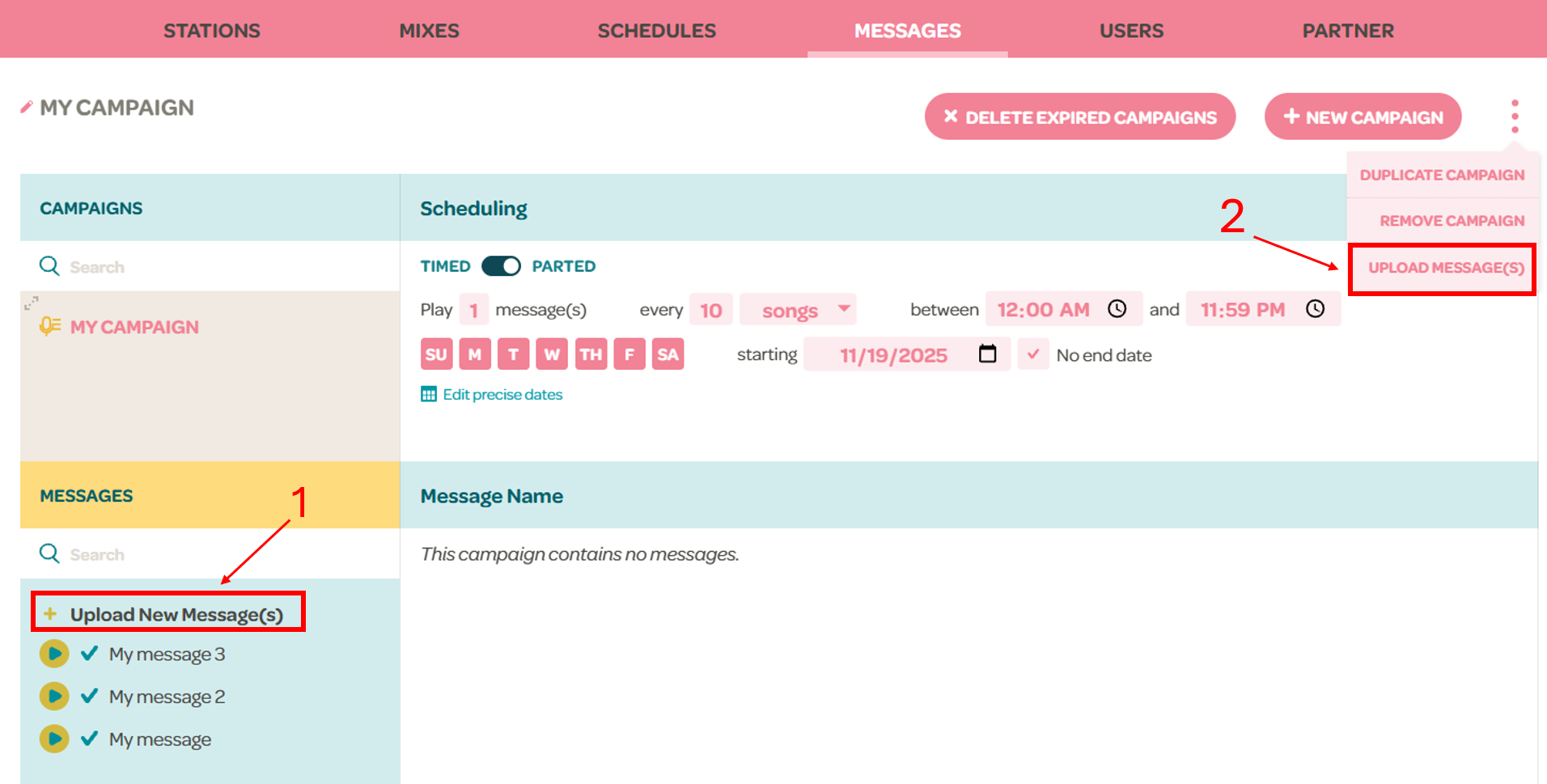
- Go to Messages
- Click "Upload New Message(s)" either in 1) the messages section or 2) in the 3 dots menu after creating a campaign
- Please limit the uploaded files to 50 mb
- Select your message(s) by dragging them to the Drag & Drop box or by browsing your files and choose “OK”
- Your message will be “Pending” until approved by Soundmachine staff.
- Approval is required for licensing reasons.
- You might be required to present proper documentation to prove you possess the licenses to use the background music associated with your message.
- Any message containing known music will be automatically removed.