
Time campaigns are played at specific times of the day and will interrupt the currently playing song on the SoundMachine hardware. Third party hardware will play the message as close to the time as possible without interrupting a song (usually immediately following the song playing at the scheduled time).
Go to Messages and select the campaign you would like to edit or create a new one
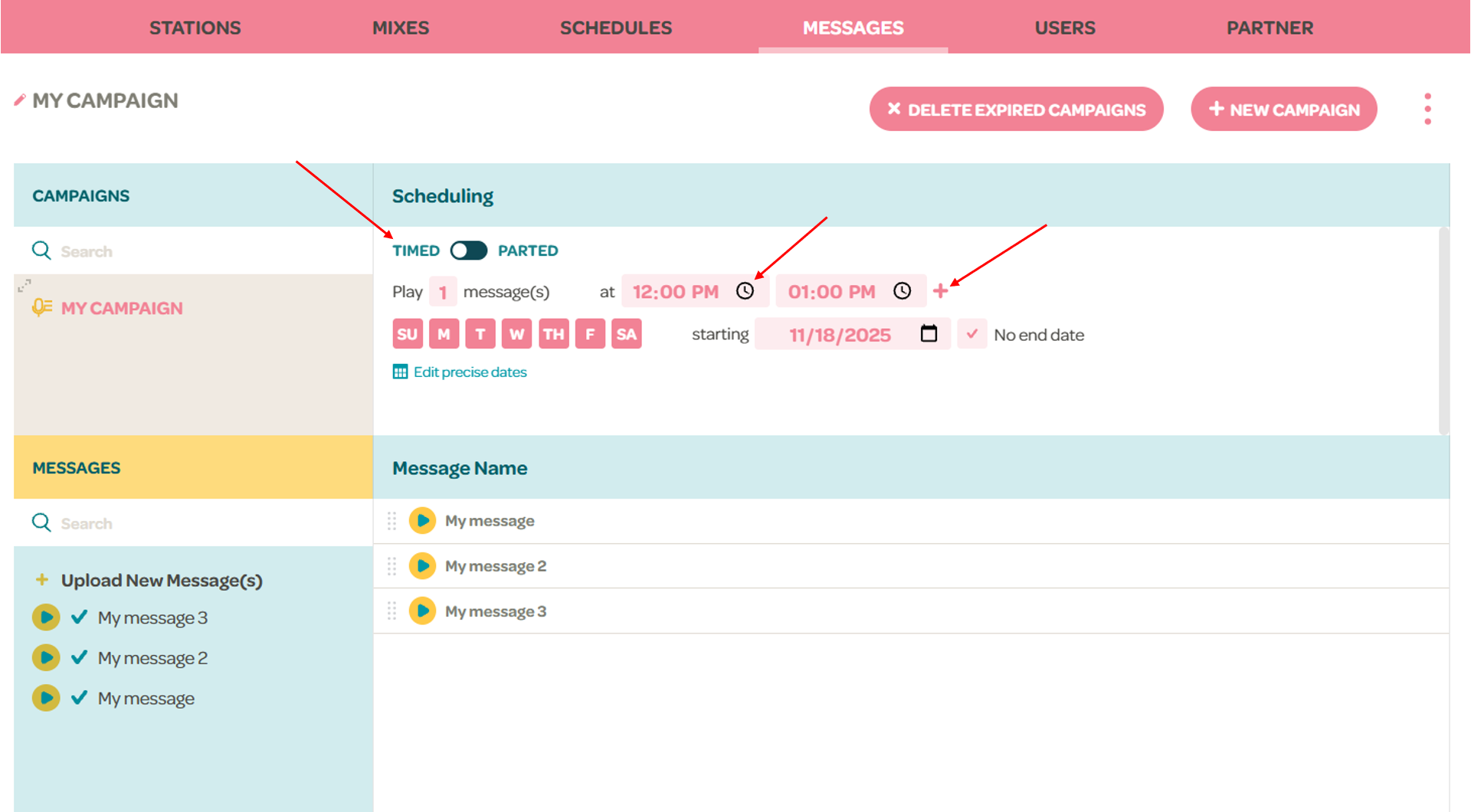
- Make sure the toggle in the Scheduling section is set to TIMED
- You can choose the time that the campaign will play by either typing it or by clicking on the clock icon and using the carousel to select the time
- You can add more times by clicking the '+' icon to the right of the latest time slot, up to a max of 11 time slots